How Time Blocking Works and Why It Makes You More Productive
Most people struggle to manage their time effectively. The constant flood of emails, meetings, and unexpected tasks can leave you feeling overwhelmed and unproductive at the end of each day. Despite having to-do lists and good intentions, important work often gets pushed aside by urgent but less meaningful activities.
Time blocking is a simple and effective way to take control of your schedule and get things done each day. This practical method has been used by many successful people, including business leaders like Elon Musk and Bill Gates, to manage their busy schedules and accomplish significant goals.
Time blocking doesn’t require special skills or expensive tools, just a willingness to plan your time more deliberately.
The History of Time Blocking
Time blocking has a rich history that spans several centuries. This practical method has helped many successful people manage their time effectively.
Benjamin Franklin used time blocking as early as the 1700s. He carefully planned his day by setting aside specific hours for different activities, including work, meals, reading, and rest. In his autobiography, Franklin showed detailed schedules that divided his day into clear blocks of time. He believed that every part of his business should have its own fixed time slot.
The practice became more scientific in the early 1900s. Frederick Winslow Taylor studied how workers used their time in factories to find the most efficient work patterns. During this same period, Henry Gantt created the Gantt chart, a visual tool for showing project schedules that many still use today. These early methods focused on planning specific time periods for tasks to increase productivity.
Time blocking gained wider popularity in the 1980s when Stephen Covey published “The 7 Habits of Highly Effective People.” Covey taught readers to schedule time for important tasks first, rather than simply responding to urgent matters. This approach helps people make progress on meaningful goals instead of just handling day-to-day emergencies.
In recent years, time blocking has moved from paper planners to digital tools. What began with simple calendar programs has evolved into smart apps that can organize your schedule for maximum productivity.
The most interesting aspect of time blocking is its consistency through time. Despite all the changes in work environments and technology, the basic concept has remained effective for hundreds of years: setting aside specific chunks of time for certain tasks helps people accomplish more.
This time-tested method used by Benjamin Franklin continues to help people be more productive today.
What is time blocking?
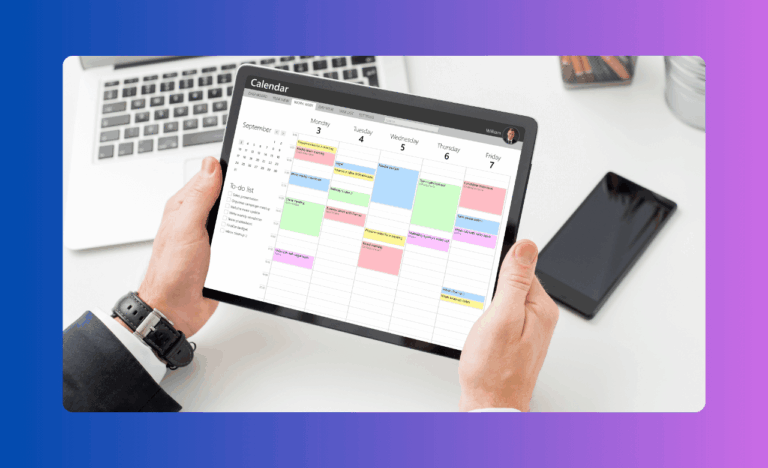
Time blocking is a way to organize your day by setting aside specific chunks of time for certain tasks or activities. Instead of just making a to-do list, you actually schedule each task on your calendar with a clear start and end time.
For example, rather than having “write report” on your to-do list, you put it on your calendar as “9:00-11:00 AM: Write report.” This transforms your intentions into actual appointments with yourself.
Time blocking works differently from regular to-do lists in several important ways:
- To-do lists simply remind you what needs to be done, but don’t help you figure out when to do each task
- To-do lists don’t account for how long tasks might take
- With a list of 20 items, you might feel productive crossing off five small tasks, while important projects remain untouched
- To-do lists don’t help you see when you’re overcommitting yourself
- Lists don’t create the healthy pressure of time boundaries that can improve focus
With time blocking, you’re forced to be realistic about what fits in your day. You can physically see how many hours you have available and make thoughtful choices about how to use that time. This visibility makes it much harder to overcommit yourself.
Time blocking also acknowledges the reality that work expands to fill the time available. By setting specific time boundaries for tasks, you create healthy pressure to focus and complete work efficiently.
About 82% of people don’t use any specific time management method, even though many feel overwhelmed by their workload. Studies show that time blocking can help you get up to 80% more done in the same amount of time.
How does time blocking make you more productive?
Time blocking helps boost your productivity in several significant ways that go beyond just better organization:
1. Helping you focus better
When you set aside time for just one task, you don’t have to keep switching between different activities. This reduced context switching is critical for productivity. Your brain takes time to refocus each time you change tasks, up to 25 minutes according to some studies.
Think about how often you normally switch from email to phone calls to meetings to focused work and back again. Each switch drains your mental energy.
Research shows that jumping between tasks can cut your productivity by up to 40%. Cal Newport, author of “Deep Work,” recommends time blocking as a key method for doing important thinking work. He found that setting aside uninterrupted blocks of time helps us achieve the deep concentration needed for complex tasks. Time blocking creates boundaries that protect you from these costly mental transitions.
2. Giving structure to your day
A time-blocked schedule turns vague plans into specific actions. This structure means you don’t waste mental energy deciding what to do next throughout the day.
Decision fatigue is a real phenomenon; the more choices you make, the harder each one becomes. By deciding in advance how you’ll spend your time, you free up mental resources for the actual work. This is why many successful people, like Steve Jobs with his famous black turtleneck, minimize trivial daily decisions to save energy for important ones.
3. Showing you how long things really take
Most people are surprisingly bad at estimating how long tasks will take. When you use time blocking regularly, you track how long activities actually take, not how long you think they should take.
This reality check improves your planning skills over time. You’ll stop scheduling one-hour meetings that should be 30 minutes, and you’ll plan more accurately for complex projects. Better time awareness leads to less stress and more realistic expectations for yourself and others.
4. Reducing putting things off
Procrastination often happens when tasks feel overwhelming or unpleasant. Scheduling a specific time to start a task makes you more likely to actually begin. Having an appointment with yourself creates accountability.
The psychology behind this is fascinating, you’re effectively making a promise to yourself that’s harder to break when it’s written on your calendar. Starting is often the hardest part of any difficult task, and time blocking gives you that initial push.
5. Making sure important work gets done
Time blocking helps you protect time for what matters most before urgent but less important tasks fill up your day. Many people spend their days reacting to other people’s priorities, responding to emails and requests, while their own important projects remain untouched.
By blocking time for high-value work first, you ensure progress on meaningful goals, not just busy work. This proactive approach puts you back in control of your most valuable resource: your time.
Popular time blocking methods
There are several ways to use time blocking that fit different work styles. Each method has its own benefits and can be adapted to your specific needs:
Basic time blocking: The standard way of setting aside specific times for certain tasks throughout your day. This straightforward approach works well for most people and provides a good starting point.
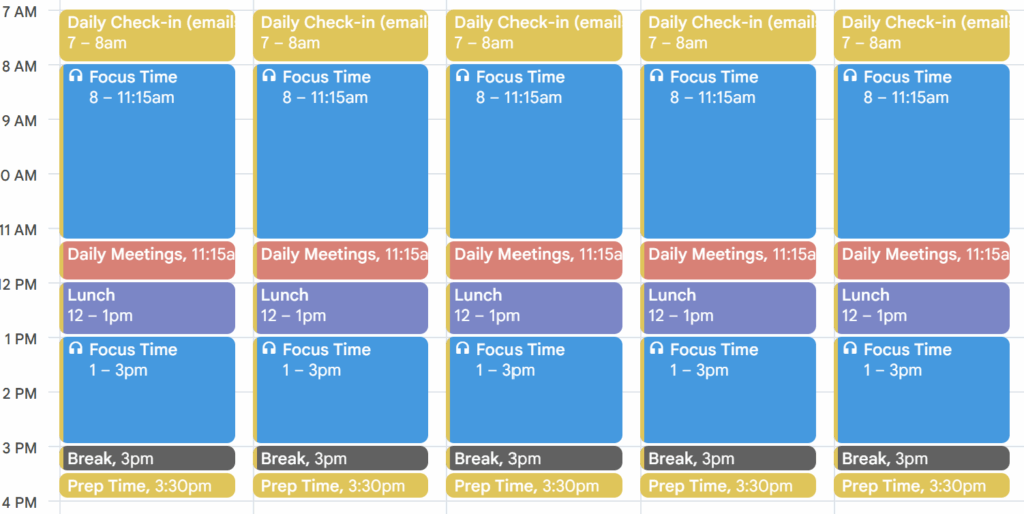
With basic time blocking, you simply go through your task list and assign each item a specific time slot on your calendar. For example, you might block 8:00-10:00 AM for project work, 10:00-10:30 AM for email, and so on throughout your day. This method gives you a clear roadmap to follow and helps prevent the common problem of underestimating how long tasks will take.
Task grouping: Putting similar tasks together (like answering all emails at once) to help your brain stay in one mode of thinking. This method, also called “task batching,” reduces the mental cost of switching between different types of work.
For example, instead of checking email throughout the day, you might set aside 10:00-10:30 AM and 3:00-3:30 PM specifically for email. You could batch all your phone calls between 11:00 AM and noon, or group administrative tasks from 4:00-5:00 PM. By working on similar activities together, you maintain mental momentum and work more efficiently.
Day themes: Dedicating whole days to certain types of work. Elon Musk uses this method, spending different days focusing on Tesla and SpaceX. This approach is particularly effective for people who manage multiple major projects or roles.
With day theming, you might designate Mondays for planning and strategy, Tuesdays for meetings and collaboration, Wednesdays for deep creative work, and so on. This creates a predictable rhythm to your week and allows for sustained focus on specific types of work. Many people find that themed days help them achieve deeper concentration and make meaningful progress on complex projects.
Time limits: Setting strict time boundaries for tasks to avoid perfectionism. When the time is up, you move on no matter what. This technique, often called “timeboxing,” creates healthy pressure to work efficiently and prevents tasks from expanding unnecessarily.
Timeboxing is especially helpful for perfectionists who might otherwise spend excessive time refining work that’s already good enough. For example, you might timebox one hour for preparing a presentation, knowing that the deadline will force you to focus on the most important elements rather than endless tweaking.
Pomodoro Technique: Working in 25-minute focused sessions with short breaks in between, and longer breaks after four sessions. This method, developed by Francesco Cirillo in the late 1980s, uses a kitchen timer to create sprints of concentrated work.
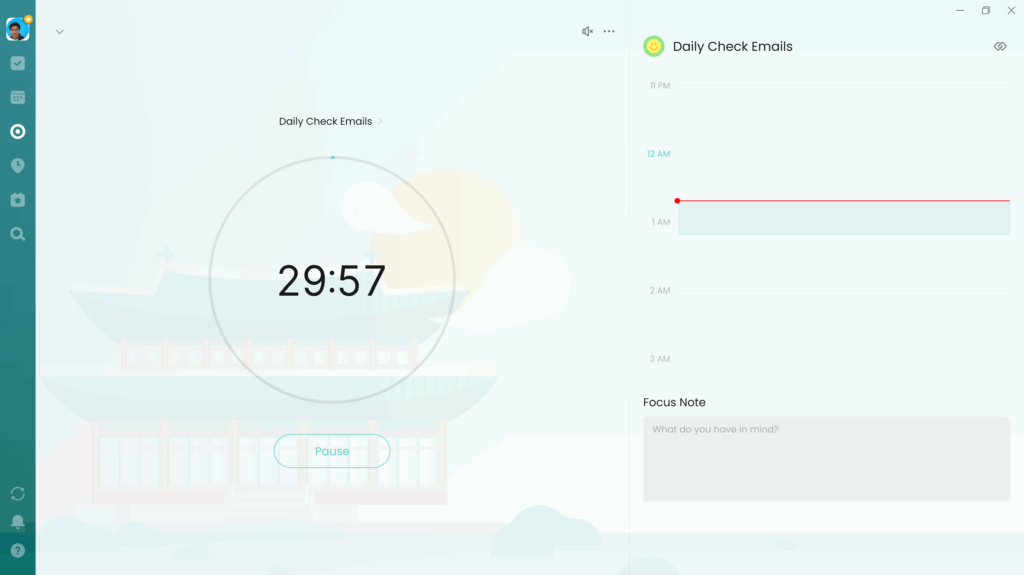
The Pomodoro Technique can be especially helpful for difficult tasks that require intense focus. The short bursts make it easier to maintain concentration, while the regular breaks prevent mental fatigue. Many people find that they can tackle challenging work more effectively by breaking it down into these manageable intervals.
Energy-based blocking: Scheduling your hardest work during times when you naturally have the most energy, like mornings for “morning people.” This method aligns your most demanding tasks with your body’s natural rhythms.
To use energy-based blocking, first track your energy levels throughout the day for about a week. Notice when you typically feel most alert and focused, and when you tend to experience energy dips. Then schedule your most challenging and important work during your high-energy periods, saving easier, more routine tasks for low-energy times.
As someone who works with a flexible schedule, I’ve found energy-based blocking to be particularly effective. I pay attention to when my body naturally feels more productive or when my dopamine levels seem higher for tackling challenging work. During these peak energy windows, I schedule my most important creative and strategic tasks. Then I save routine emails, administrative work, and simpler tasks for times when my energy naturally dips. This method has helped me work with my body’s natural rhythms rather than fighting against them.
How to start time blocking
Getting started with time blocking is simple, though it may take some practice to perfect:
- Figure out what matters most: Decide which tasks and responsibilities are most important. These should get the first spots in your schedule. Look at your goals for the week, month, and quarter to identify high-value activities that deserve protected time.
- Pick your tools: Choose either digital tools (like Google Calendar) or paper planners based on what you prefer. Digital tools offer handy reminders, while paper planners don’t require a screen. There are also specialized time-blocking apps available if you want more features.
- Make your first schedule: Start by blocking time for your most important tasks first, then add other activities. Try it for just half a day before planning full days. Begin with your existing commitments (like meetings) and then fill in open spaces with focused work time.
- Add buffer time: Leave 5-15 minutes between blocks for transitions and unexpected things that come up. This prevents your whole day from being thrown off when one task runs long. Without these buffers, even a small delay can derail your entire schedule.
- Don’t forget breaks: Schedule lunch, short walks, and personal time just like you schedule work tasks. These breaks keep your energy up and prevent burnout. Research shows that regular breaks actually improve productivity rather than reducing it.
- Check in weekly: Take 30 minutes each week to look at how your time blocks worked and plan for the coming week. Make adjustments based on what you learn. This regular review helps you refine your time blocking skills and adapt to changing priorities.
Common challenges with time blocking
Like any productivity method, time blocking has some challenges that you’ll need to overcome for success:
Underestimating how long things take: Most people are overly optimistic about how quickly they can complete tasks. Studies show we typically underestimate task duration by 25-50%, a phenomenon called the “planning fallacy.”
This can cause significant stress when you consistently run out of time for scheduled activities. To combat this tendency, try multiplying your initial time estimates by 1.5 when you’re just starting with time blocking. For example, if you think a report will take two hours to write, block three hours instead. As you gain experience with time blocking, your estimates will naturally become more accurate.
Dealing with interruptions: Unexpected phone calls, drop-in visitors, and emergencies can throw off even the most carefully planned schedule. Rather than giving up on time blocking entirely, build flexibility into your system.
One effective strategy is to create designated “open blocks” in your schedule—perhaps 30-60 minutes in the morning and afternoon, specifically reserved for handling unexpected issues. These buffers contain the impact of interruptions and prevent them from derailing your entire day. You might also consider blocking 80% of your available time, leaving 20% unscheduled for flexibility.
Sticking with it: Time blocking requires discipline, especially when you’re first starting. It’s easy to abandon your carefully crafted schedule when things get busy or stressful, precisely the times when you need structure most.
Start small with just blocking your morning hours, and gradually build the habit over time. Consider finding an accountability partner who’s also using time blocking, so you can check in with each other. Remember that perfect adherence isn’t the goal; even following your time blocks 50% of the time is better than not planning at all.
Finding the right balance: Some people feel constrained by having every minute of their day scheduled. Others create such detailed and unrealistic schedules that they’re impossible to follow.
The key is finding a middle ground that works for your personality and role. Most productivity experts recommend aiming to schedule about 70% of your time, leaving 30% open for flexibility. This balance provides enough structure to be productive while allowing room for the unpredictable nature of most work environments.
Handling shared calendars and meetings: If you work in a team environment where others can book your time, protecting your time blocks can be challenging.
Try blocking recurring “focus time” on your shared calendar that colleagues can see. Communicate the importance of these blocks to your team. Some organizations even implement “no meeting days” or core focus hours where everyone agrees to minimize interruptions.
Helpful tools for time blocking
Several tools can make time blocking easier and more effective:
Calendar apps: Digital calendars like Google Calendar and Microsoft Outlook form the foundation of many time-blocking systems. These tools offer features particularly useful for time blocking:
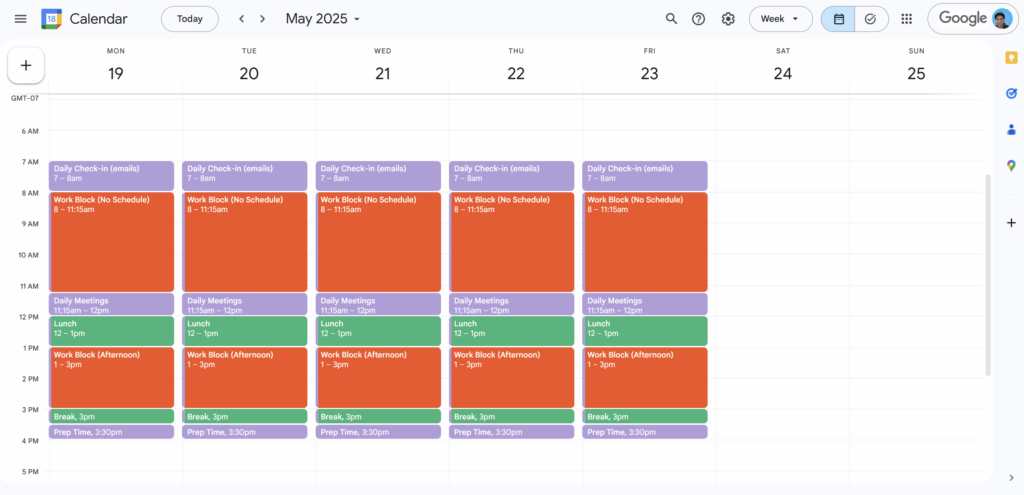
- Color-coding capabilities let you visually distinguish between different types of activities (e.g., blue for meetings, green for deep work)
- Recurring event settings allow you to establish regular time blocks that automatically appear each day or week
- Reminders and notifications help you stay on track throughout the day
- Calendar sharing features let teammates see when you’re available for collaboration
Task management tools: Apps like Asana, Trello, and Monday.com complement your time blocking practice by helping you organize and prioritize tasks before scheduling them. These platforms offer:
- Visual task organization so you can see everything that needs to be done
- Priority settings to help identify which tasks deserve time blocks first
- Integration with calendar apps to connect your task list with your schedule
- Team collaboration features for coordinating schedules with colleagues
- Progress tracking to see how many planned tasks actually get completed
Time tracking software: Applications like Toggl, RescueTime, and TrackingTime provide valuable data about how you actually spend your time compared to how you planned to spend it. These tools:
- Automatically monitor time spent on different applications and websites
- Provide reports showing where your time actually goes
- Help you identify distractions and time-wasting activities
- Allow manual time tracking for activities away from your computer
- Build awareness of your work patterns to improve future time blocking
Specialized time blocking apps: Tools specifically designed for time blocking, like TimeBloc, SkedPal, and Sunsama, combine calendar and task management features with specialized time blocking capabilities:
- Templates for common time blocking patterns
- Automation features that suggest optimal scheduling
- Built-in buffer time between activities
- Integrated task prioritization systems
- Analytics about your time blocking effectiveness
Productivity frameworks: Methodologies like the Eisenhower Matrix help you decide what’s urgent versus important before you start scheduling. This decision-making tool helps you:
- Categorize tasks based on importance and urgency
- Identify which activities deserve dedicated time blocks
- Determine which tasks can be grouped together
- Decide which items can be delegated or eliminated entirely
- Create a clear system for prioritizing when new tasks arise
Tips for successful time blocking
Adding time blocking to your routine doesn’t mean changing everything about how you work. Try these simple tips:
- Start by just blocking your morning hours
- Use different colors for different types of activities
- Put similar tasks back-to-back
- Schedule personal time as seriously as work time
- Create one “no meeting” day each week for focused work
- Put your hardest tasks during times when you have the most energy
Time blocking is a practical way to take control of your day. By setting aside specific times for your most important work, you create the conditions for better focus, real progress, and a healthier balance between work and life.