Looking for a Private Note-Taking App? Here’s Why Notesnook Stands Out
Most note-taking apps today are either overloaded with features or heavily focused on collaboration. Some prioritize syncing and flexibility but fall short on privacy. Others offer encryption, but with limited functionality and a clunky interface. In a crowded note-taking space dominated by names like Evernote, Notion, Obsidian, and Joplin, Notesnook is quietly building a solid reputation as one of the most privacy-focused yet usable apps around.
Despite having a feature set that competes with the big names, Notesnook remains relatively under the radar. That is exactly what makes it worth exploring. If you’re someone who values privacy but still wants a note-taking app that feels pleasant and familiar, Notesnook deserves your attention.
Privacy is built in by default
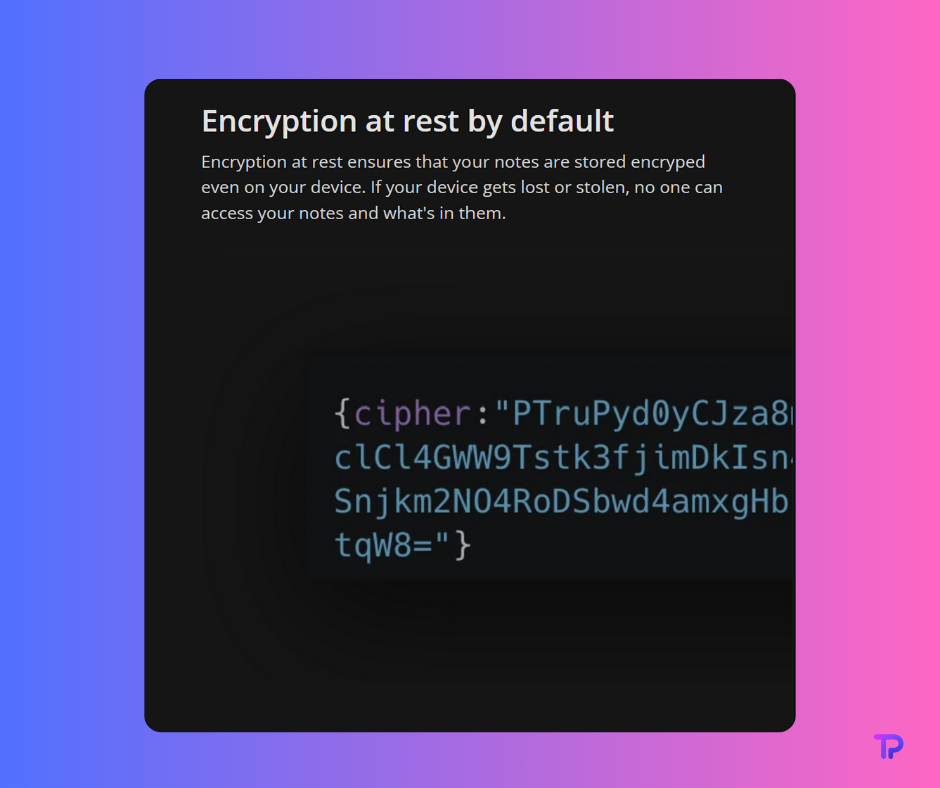
If you’ve ever worried about who might be reading your notes, this is where Notesnook shines. The main reason this note-taking app stands out is its approach to privacy. With most apps, privacy is an afterthought or a paid add-on. In Notesnook, privacy is non-negotiable and applies to everything you do.
You never have to worry about complicated settings or “enabling” encryption. It’s always working for you, automatically. Notesnook uses modern, battle-tested encryption (XChaCha-Poly1305-IETF for notes and Argon2 for your password), which means your notes are locked down both when stored on your device and whenever they sync to the cloud.
What makes this different from most note apps:
- End-to-end encryption is always on. You do not have to enable it or dig through settings, and it protects every note, notebook, tag, and file attachment.
- Metadata protection means not only your notes but even your notebook and tag names are kept private.
- PIN codes, biometric locks, or hardware security keys can be set for the app, so even if your phone or computer is unlocked, your notes remain protected.
- Zero knowledge for the company. Even Notesnook itself cannot see your notes, as everything is encrypted with keys that only you control.
- Privacy for free users and paid users alike. Notesnook does not lock basic privacy behind a paywall. You get real protection on every plan.
- Strict no-tracking policy. There’s no analytics on what you write or when you log in. Your usage data stays yours.
This strong privacy focus makes Notesnook a great choice for anyone who is worried about snooping, leaks, or simply wants peace of mind. Whether you are writing a personal diary, storing sensitive information, or just prefer not to be tracked, Notesnook keeps your notes truly yours.
Open source, transparent, and built for the long term
With so many apps claiming to be private, open source code is the only real way to build trust. Notesnook is 100 percent open source you can check the code for yourself or read independent community audits and reviews.
The transparency goes beyond just code:
- Anyone can audit the source code of both the apps and the sync server, giving you the chance to confirm privacy promises.
- No hidden data collection or advertising modules are lurking inside, as verified by community developers and privacy advocates.
- Vericrypt tool allows users to download and decrypt their own cloud-stored notes to prove the encryption works as promised, adding an extra layer of user control.
- Development in the open. Feature requests, bug reports, and updates all happen where the public can see. If a feature is missing, there’s a good chance it’s already being discussed or worked on in the community channels.
- Self-hostable and future-proof. If the original development team ever stops updating the service, you (or the community) can host your own sync server using the official code, keeping your notes accessible and secure. Combined with local-only mode, you always have full access to your notes, regardless of any central service.
With these safeguards, Notesnook is designed to remain usable and secure long term, no matter what happens with the company or the core developers.
Clean and powerful writing experience
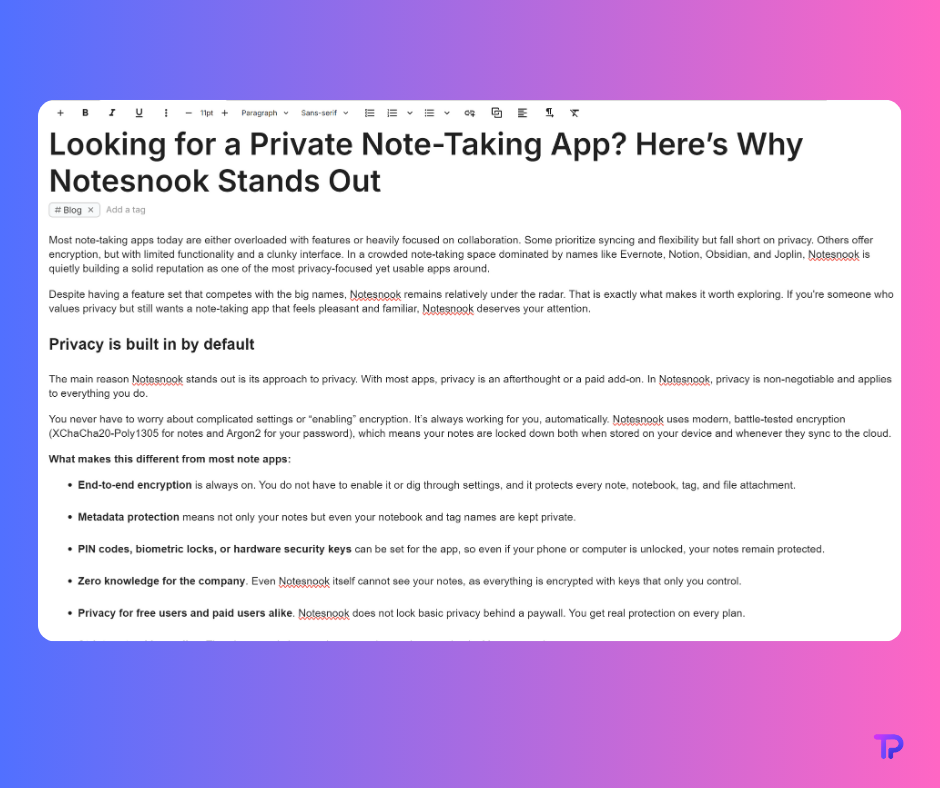
Notesnook shows you can have strong security without giving up the smooth, modern feel of a mainstream note app. The writing experience is both feature-rich and frustration-free. Everything about the interface is designed to be easy to use, whether you’re making quick lists or writing detailed documents.
Key writing features include:
- Rich text editing lets you use bold, italics, highlights, headings, and lists, just like you would in Word or Google Docs.
- Markdown shortcuts are available for those who type fast and want keyboard-driven formatting, but you don’t have to use Markdown unless you want to. You get all the benefits of WYSIWYG editing, with no need to worry about formatting errors or syntax confusion.
- Tables and checklists are built in, so you can make structured lists or manage complex information without plugins or special code.
- Collapsible callouts let you break up long notes with sections you can expand or hide as needed. This is perfect for keeping project plans, documentation, or personal research neat and easy to scan. With a single click, you can show or hide details, making even very dense notes feel organized and manageable.
- Attach images, PDFs, files, and every attachment is encrypted and searchable.
- Math and chemistry support using LaTeX and chemistry formulas, perfect for students, researchers, or anyone who needs to write technical notes.
- Syntax highlighting for code snippets makes the app a strong choice for programmers and STEM professionals.
- Focus mode hides the interface so you can just write, making it ideal for journaling or distraction-free writing.
- Note history and versioning let you recover old versions or accidental edits, so your work is never lost.
You get all these features across every device, with no stripped-down “mobile” experience. The editor always feels consistent and responsive.
Organize your notes your way
The interface overhaul addresses one of the biggest complaints from earlier versions. One of the most recent and welcome improvements is the completely revamped user interface. Notesnook now features a nestable, tree-like folder and notebook structure that feels intuitive and modern. In previous versions, the organization could feel flat and confusing, but the latest updates respond directly to community feedback. Now, you can clearly see, expand, and rearrange your notebooks and sub-notebooks in one sidebar.
- Tag management has also become much easier and cleaner. You can organize, arrange, and view your tags in a dedicated section, making it simple to categorize and find related notes without clutter.
- Notes and tag sections are cleaner, letting you quickly scan your workspace and access what matters most.
- Set your homepage to any folder, individual note, or tag. This means you can open the app right where you want to start, whether it is your main project, your daily journal, or a frequently used tag.
- Color coding is supported throughout the app. You can assign colors to tags, notebooks, and even themes, helping you personalize your workspace for quick visual organization.
- A wide variety of themes are available, allowing you to switch between different color palettes and styles classic light, dark mode, or more vibrant options. The ability to change themes makes your Notesnook experience feel truly yours.
This ongoing focus on user-friendly design shows how the developers are always listening to their users and making changes that matter for everyday productivity.
Notesnook is built for flexible organization, supporting whatever workflow makes sense for you.
- Nested notebooks let you build a multi-layered structure for your notes. You can create main notebooks for broad topics, with as many sub-notebooks as you need. This is perfect for keeping work, personal, projects, or study notes separate and tidy.
- Tags provide a way to organize notes across notebooks, group related ideas, or quickly filter and search your collection. Tags can be color-coded, making it easier to spot and sort information at a glance.
- Bidirectional linking helps you connect notes together, turning your account into a personal knowledge base. Every time you link one note to another, you create a two-way relationship, so you never lose track of related content.
- Favorites and pinning allow instant access to the notes or notebooks you use the most.
- Powerful search works fast, even with a large note archive, and finds anything by title, content, tag, or backlink. The search is local and private, never exposing your queries.
- Notebook and tag filters help you see only what you need, when you need it.
If you like the idea of building a second brain or a networked archive of ideas, Notesnook can do it without any extra setup. If you just want to keep things simple, a classic folder structure or tag-based approach works just as well.
Privacy-first features you rarely see
Here’s where Notesnook really starts to shine for privacy-focused users. Beyond strong encryption and open source, you get extra layers of control over your notes and data.
- Notes Vault is an extra-secure space where you can move any note or notebook for double encryption. Only you know the password for your Vault, and even if your main app password is compromised, Vault notes stay locked and invisible.
- Per-note password protection lets you add another password to any especially sensitive note, offering unique security that’s almost never found in other apps. Use this for personal journals, confidential plans, or anything you want double-locked.
- Password-protected sharing gives you control over who can see your notes. You generate a share link, set a password, and only people with that password can unlock the encrypted note. Plus, you can set the note to self-destruct, so the shared link automatically expires after it is viewed—no more worrying if you forgot to disable a link or revoke access.
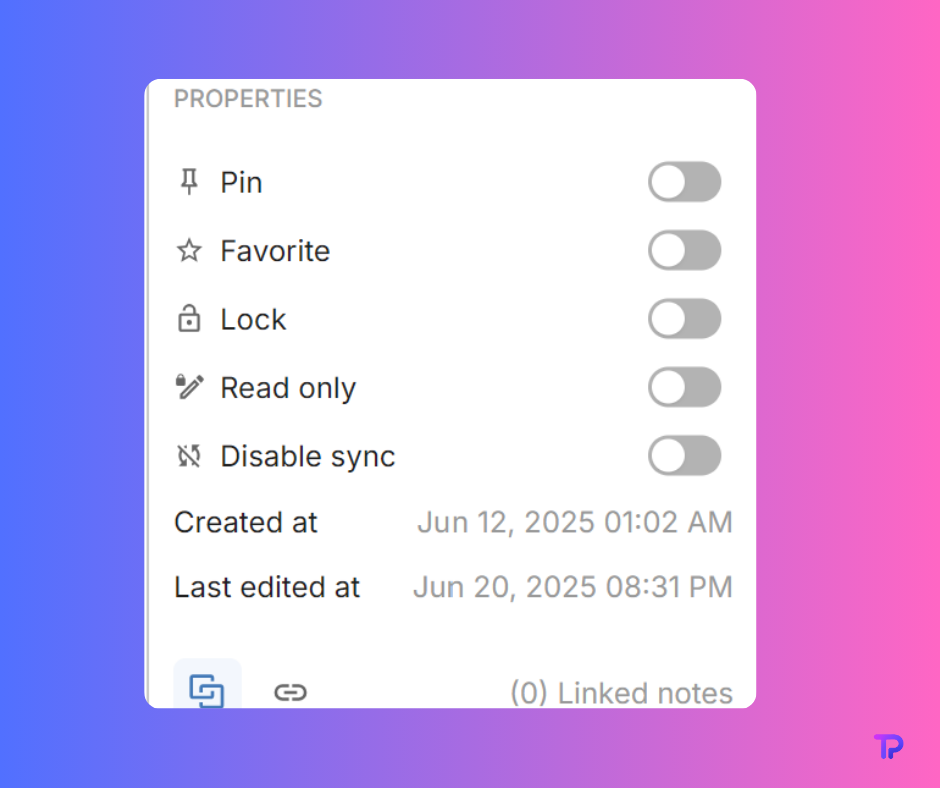
- Local-only mode and per-note sync control mean you can turn off sync globally, or just for specific notes. If you want true “offline” privacy, you can keep some or all notes stored directly on your device. You can easily toggle sync for each note in the sidebar, deciding exactly what stays local and what is shared across your devices.
- Reminders work on your device, never being sent to a third-party server, so your schedule and tasks stay private.
- Widgets and quick actions on mobile help you jot ideas, pin your most-used notes, or add to-do lists without even opening the app fully.
- Auto backup and scheduled export let you set up regular backups (weekly, monthly). You can choose to back up with or without attachments, and export your notes as plain text, Markdown, JSON, or other supported formats. This makes it simple to keep your own archive or migrate your data elsewhere with no lock-in.
Notesnook’s privacy-first features make it a true all-in-one app for:
- Private journaling and daily logs
- Storing passwords, secure documents, or sensitive business notes
- Building a personal knowledge system without exposing data to the cloud
- Having peace of mind that even shared notes and reminders are only yours
Reliable sync across all platforms
For all its privacy and flexibility, Notesnook doesn’t ask you to give up convenience or accessibility. The app is designed to work everywhere you need it, and sync works quietly and efficiently without ever exposing your content.
- Cross-platform support covers Windows, Mac, Linux, Android, iOS, and even the web, with all platforms updated together and offering the same features.
- Real-time, seamless sync means your notes and edits appear on all your devices almost instantly. You don’t have to worry about “merging” or lost versions.
- Full offline access lets you create, edit, search, and organize notes even when you have no internet. Everything updates automatically as soon as you’re back online.
- No third-party cloud services required. Unlike other open-source apps that require Dropbox, Google Drive, or custom WebDAV setups, Notesnook syncs securely through its own encrypted system.
- Feature parity across devices. Whether you’re using your phone, tablet, laptop, or browser, you get the same experience and editing power.
- No forced sync or cloud. If you want to keep everything local, you can. If you want the convenience of cross-device syncing, just enable it. Your notes are still encrypted and safe.
- Per-note sync toggle. You have the flexibility to disable sync for specific notes right from the sidebar, so you decide exactly which notes stay on one device and which ones are available everywhere.
This makes Notesnook one of the few apps where privacy and usability actually work together, not against each other. You can trust that your notes are safe, but you can still work from anywhere, on any device, without missing a beat.
How Notesnook compares to other apps
Here’s how Notesnook matches up with some of the biggest names in note-taking:
| Feature | Notesnook | Evernote | Notion | Obsidian | Joplin |
| End-to-end encryption | Yes | No | No | Manual or plugin-based | Yes |
| App lock | Yes | Premium only | No | No (plugin possible) | No |
| Vault or per-note lock | Yes | No (text block) | No | Via external plugin | No |
| Open source | Yes | No | No | No | Yes |
| Web access | Yes | Yes | Yes | No | No |
| Bidirectional linking | Yes | No | Limited/manual | Yes | Plugin |
| Markdown support | Yes | No | Yes | Yes | Yes |
| Mobile widgets and quick notes | Yes | Limited | Yes | No | No |
| Turn off sync for local-only use | Yes | No | No | Yes (local files) | Yes |
Additional points:
- Notesnook includes encrypted attachment support, which is not standard in most apps.
- Per-note password protection and the Vault feature offer extra privacy for your most sensitive notes.
- Open source code means anyone can check for privacy or security issues, unlike most proprietary apps.
- Notesnook’s local-only mode is as private as you want it to be, without losing access to advanced features.
Try it for yourself
Notesnook offers a generous free plan that includes all the privacy features – no ads, no data mining, no catches. You can use it on unlimited devices and store as many notes as you need.
- The Pro plan unlocks larger attachments, advanced publishing tools, and even more customization. Students and educators get a 50 percent discount.
- You can test everything yourself without providing payment details or jumping through sign-up hoops. Just download the app and start using it.
- Switching is easy, too. Import your notes from Evernote, Joplin, or Markdown files with built-in tools.
- If you ever decide to leave, you can export everything and take it with you.
For privacy-conscious users, writers, students, or anyone tired of feeling like their data is up for grabs, Notesnook is a breath of fresh air. It combines the security you want with the productivity features you need. No more trade-offs, no more compromises.